
PRINT DIRECTOR | SECURE PRINT RELEASE
Your print job follows you, not the printer
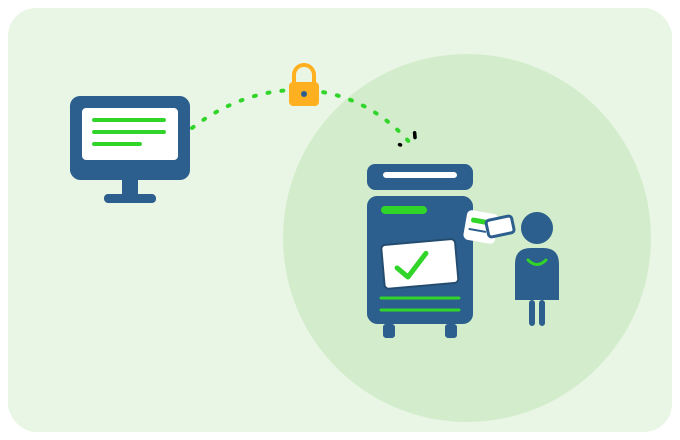
Send a document from your desk and it waits, securely, until you arrive at a printer and prove it's you. Walk to any Print Director printer, tap your card or enter your PIN, and it prints there and then, in front of you.
Your job waits, held securely, until you arrive to prove it's you,
then it prints there and then
The problem
The output tray is the weakest link
- Confidential documents sit in the tray for anyone walking past to read, pocket, or bin by mistake.
- You send a job, the printer’s busy or jammed, you re-send, and later both copies print and one gets abandoned.
- “Who left this on the printer?” Payslips, contracts and HR letters with no owner in sight.
- Staff feel they have to stand guard at the device until a sensitive job finishes, just so nobody else sees it.
Secure Print Release closes the gap. Nothing prints until the right person is standing at the device.
How it works
Three steps, zero exposure

- Print as normal
Hit print from any application on any workstation. Instead of rushing to a try, your job is held securely, ready and waiting. - Identify yourself at any printer
Tap an RFID card, enter your PIN, or sign in at the panel. Print Director already knows which jobs are yours. - Release and collect
Your waiting jobs appear on the screen. Release them (or delete ones you don’t need), the document prints while you’re standing there, then clears from the queue.
Key Benefits
Why teams switch to Secure Print Release
- Confidentiality by default
Sensitive documents never sit unattended. they print only when you’re at the machine. - Any printer, every time
Broken, busy or being serviced? Simply walk to the next printer and release your job there. No re-sending, no lost job. - Less waste, lower cost
Forgotten and duplicate jobs are never printed at all. Paper, toner and the carbon that goes with them stay in the cupboard. - A clean audit trail
Every release is tied to the real person who authenticated, supporting POPIA and internal compliance.
Works with what you already have
No new hardware, no new habits
- Runs in the embedded app on Konica Minolta, Lexmark and HP devices, right on the panel.
- Authenticate with PIN, user name and password, or supported RFID cards.
- Pairs naturally with department cost tracking and rule-based quotas. The same login that releases your job also records who printed what.