
Take Control of Your Print and Phone Costs
Print Director gives corporate organisations complete visibility and control over printer and telephone usage, reducing waste, recovering costs, and simplifying administration across your entire organisation.
PRINT DIRECTOR MANAGER
Problems We Solve
Sound Familiar?
- “We don’t know who is printing what or how much it’s costing us.”
- “Colour printing costs are completely out of control.”
- “Some printers are overused while others sit idle.”
- “We can’t charge departments for their actual usage.”
- “Tracking phone costs and allocating them correctly is a nightmare.”
- “Managing printers across multiple sites is taking up too much IT time.”
If any of these sound familiar, Print Director Manager is built for you.
Key Features of PD Manager
Secure Print Release
Print from any workstation, release at any printer using embedded app authentication (card / PIN / username + password).
Automated Queue Deployment
Print queues and drivers deploy automatically and are targeted by user, department, hostname, or IP range. New users get their printers without IT having to touch each workstation.
Department-Level Cost Tracking and Internal Billing
Track print and phone volumes by department or cost centre; recover costs accurately.
Rule-Based Access Control and Quotas
Enforce duplex, mono, page limits; alert administrators when thresholds are reached.
PBX Telephone Integration
Connect directly to your PBX for per-second call cost capture; no buffer box required.
Active Directory & Microsoft Entra ID Integration
Users, departments, rule assignments, and workflow access sync automatically.
Embedded App Support
Konica Minolta, Lexmark, HP at the device panel with no extra hardware.
Extensive Reporting
Summary and detailed reports, scheduled and emailed in Excel, PDF, Word, etc.
Offline Operation
Keeps working when the connection to the central server drops.
What's New
Print Director keeps pace with how your business actually works. Three new capabilities released in the latest version close the biggest gaps between your printers and the cloud-first, security-first world they now operate in.
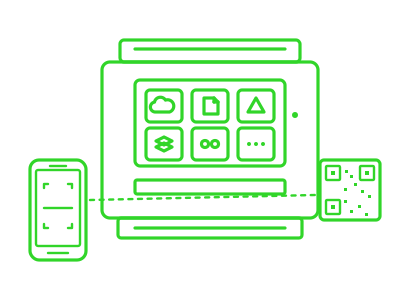
Cloud Workflows on Konica Minolta
Scan to the cloud, print from the cloud, straight from the printer panel
Your documents live in OneDrive, SharePoint, Google Drive, Dropbox or Box. Print Director’s Cloud Workflows let your staff scan straight into those folders, and print straight back out, without going via “scan to email then save the attachment”.
Link your account once. Use any printer. The first time a user taps a cloud tile, the panel shows a QR code. They scan it with their phone, sign in to Microsoft (or Google, Dropbox, Box) on their own device, with their own MFA, and that’s it. From then on, their account follows them to every Print Director-enabled printer on the network.
Why this is different:
Most SaaS print-management products store cloud tokens on the printer iteself which means users re-link every time they walk to a different floor. Print Director stores tokens centrally and securely on your own server, encrypted at rest. Your tokens, your jurisdiction, your control.
- OneDrive, SharePoint, Google Drive, Dropbox, Box
- QR-code phone authentication (no typing on a printer keyboard)
- Roams across every printer on the network
- Tokens encrypted, stored on your server, never on the printer or in a vendor cloud
Secure Scan-to-Email
Modern OAuth 2.0 / Microsoft Graph is built for what comes after Microsoft kills SMTP Basic Auth
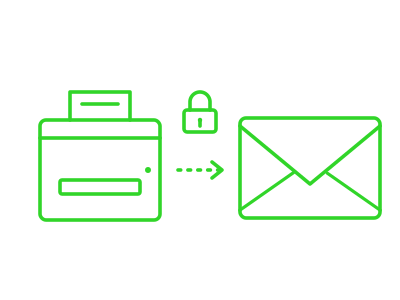
Every printer’s built-in scan-to-email feature relies on storing your mailbox username and password on the device. That approach was designed in the 1990s, and Microsoft has been phasing out the underlying technology (SMTP Basic Auth) for years. When Microsoft finally pulls the plug, those printers stop working.
Print Director’s Scan-to-Email Workflow replaces the printer’s built-in feature with a modern, password-free alternative using OAuth 2.0 and Microsoft Graph, the same standards Microsoft 365, Teams and Outlook use today.
- No mailbox passwords stored on printers, ever
- Works with Microsoft 365 MFA and Conditional Access policies
- Full audit trail with every scan logged against the real user signed in at the MFP
- Future-proof against Microsoft’s Basic Auth shutdown
- POPIA / GDPR / cyber-insurance friendly
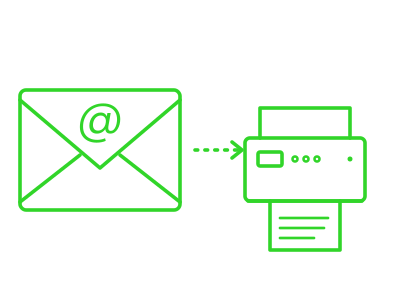
Email-to-Print
Print to any printer by sending an email
A user (or a guest) emails a PDF to a designated email address. Print Director matches the sender to a registered user, holds the document securely, and the user releases it at any printer using their normal login.
For senders we don’t recognise, Print Director can automatically reply with a one-time PIN which is perfect for visitors, contractors, or remote staff who need to print without an account being set up.
- Email a PDF, walk to any printer, release with your login
- Guest printing via auto-reply one-time PIN
- Connects via IMAP, POP3, or Office 365 (Modern Auth)
LAN and Hosted Deployment
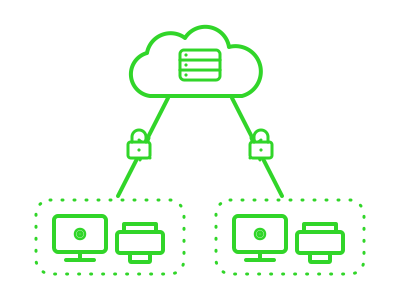
Print Director supports both on-premise (LAN) and hosted/cloud deployment, giving you the flexibility to choose the environment that suits your infrastructure.
LAN Deployment
- PDAgent installed on your local print server or client PCs
- Communicates directly with PDServer on your network
- Outgoing connections only with no incoming connections required from the server side
- Ideal for organisations with direct access to printer IPs
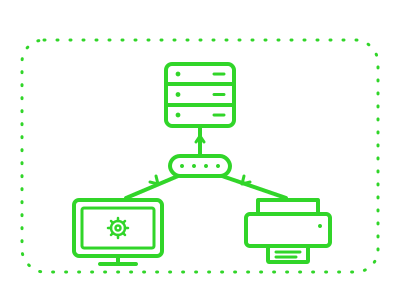
Hosted Deployment
- PDServer hosted in the cloud or on a remote server
- PDAgent on your LAN establishes and maintains a secure duplex channel to the hosted server
- Supports both cloud-hosted and LAN-based servers simultaneously
- Ideal for multi-site organisations or where centralised hosting is preferred
See our Knowledge Base for detailed deployment requirements and setup guides.