
Cloud Workflows on Embedded Devices
Scan to and print straight from the printer panel, with QR code sign in
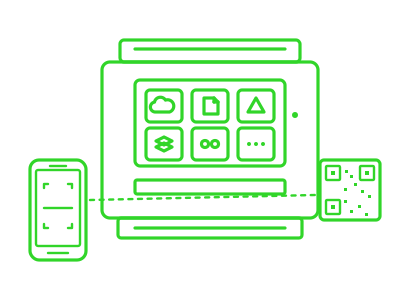
Cloud Workflows on Konica Minolta
Scan to the cloud, print from the cloud, straight from the printer panel
Your documents live in OneDrive, SharePoint, Google Drive, Dropbox or Box. Print Director’s Cloud Workflows let your staff scan straight into those folders, and print straight back out, without going via “scan to email then save the attachment.”
Link your account once. Use any printer. The first time a user taps a cloud tile, the panel shows a QR code. They scan it with their phone, sign in to Microsoft (or Google, Dropbox, Box) on their own device, with their own MFA, and that’s it. From then on, their account follows them to every Print Director-enabled printer on the network.
Why this is different:
Most SaaS print-management products store cloud tokens on the printer iteself which means users re-link every time they walk to a different floor. Print Director stores tokens centrally and securely on your own server, encrypted at rest. Your tokens, your jurisdiction, your control.
- OneDrive, SharePoint, Google Drive, Dropbox, Box
- QR-code phone authentication (no typing on a printer keyboard)
- Roams across every printer on the network
- Tokens encrypted, stored on your server, never on the printer or in a vendor cloud